



Touch-Display ANC Earbuds: Better Control, Less Noise
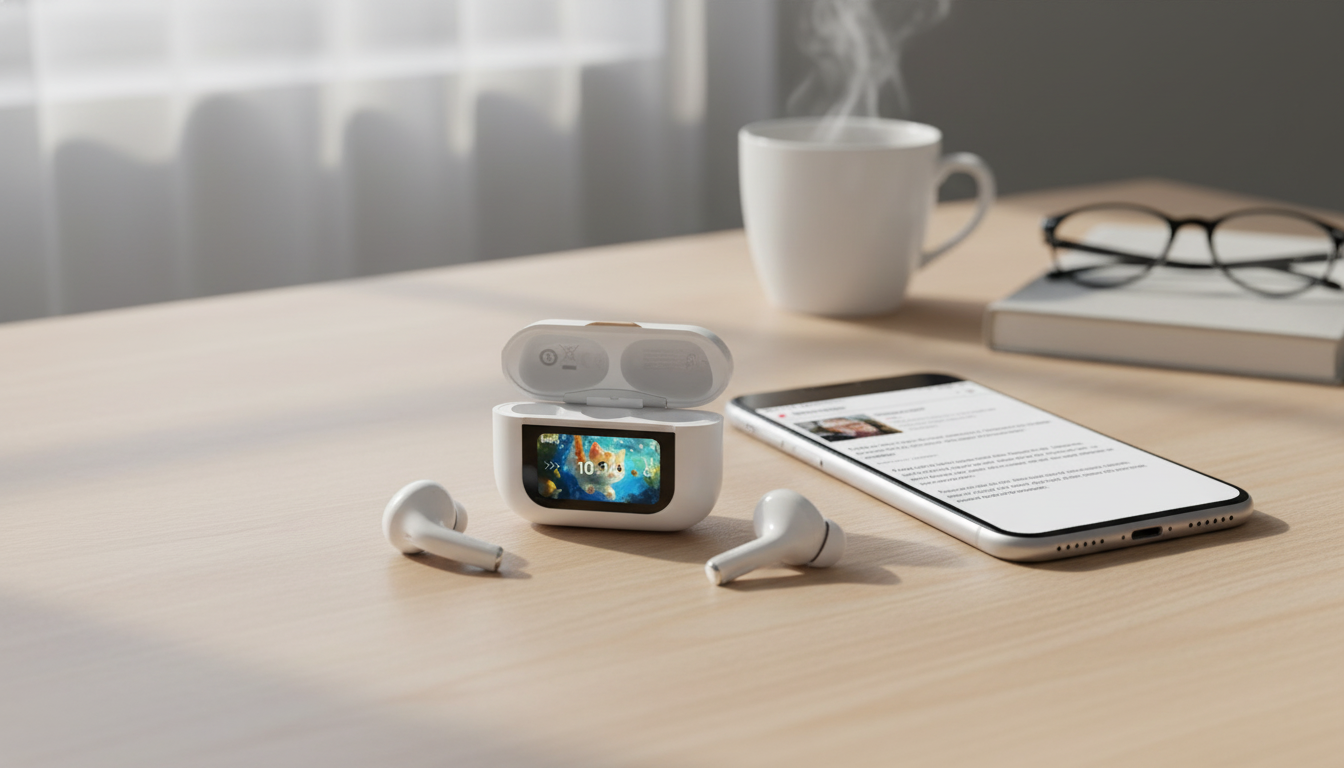
Wireless ANC Bluetooth Earbuds with Touch Display Charging Case: Smarter Control, Quieter Listening
Wireless earbuds have gotten better at blocking noise, improving call clarity, and lasting longer between charges. A newer twist is the touch-display charging case: instead of relying only on tiny tap zones on the earbuds (or pulling out your phone), you can manage key settings right from the case. That shift may sound small, but it can make everyday listening feel smoother—especially when you’re commuting, working out, or bouncing between calls and playlists.
Below is a practical breakdown of what a touch display can add, how ANC and transparency fit real life, and what to check before buying for comfort, battery, and reliability.
What Makes a Touch-Display Charging Case Different
Traditional earbuds hide most controls on the earbuds themselves, which can lead to accidental taps while adjusting fit. A touch-display case moves common actions to a larger, more deliberate surface, so you can keep the earbuds seated and your audio uninterrupted.
- Less accidental input: Case-based controls can reduce unintended pauses or mode changes when you’re pushing earbuds in more securely.
- Centralized shortcuts: Many touch displays put essentials—switching ANC/transparency, changing volume, skipping tracks, answering calls—on one screen.
- Better for quick toggles: On a train platform or in a busy gym, switching modes fast can matter more than deep customization.
- Quality varies by model: Look for clear icons, responsive touch, and brightness that stays readable outdoors.
If you’re shopping for this style, start with a proven set like the Wireless ANC Bluetooth Earbuds with Touch Display & Charging Case, then compare comfort and battery details to your routine.
Active Noise Cancellation and Transparency in Daily Use
Active noise cancellation (ANC) is most impressive against steady, low-frequency sound—think engine hum, train rumble, or HVAC drone. It’s less magical against sudden, sharp noises, and it’s only as good as the seal you get from the ear tips.
- Fit drives results: A strong passive seal makes ANC seem stronger and also improves bass, reducing the urge to turn volume up.
- Transparency supports safety: For crosswalks, announcements, or quick conversations, transparency mode helps you stay aware without removing earbuds.
- Lower volume can protect hearing: In loud environments, ANC can reduce “volume creep,” helping you listen at safer levels. For practical hearing guidance, see NIOSH Sound and Hearing Protection.
When to Use Each Listening Mode
| Situation | Recommended Mode | Why It Helps |
|---|---|---|
| Office focus or studying | ANC | Reduces ongoing background noise for clearer audio at lower volume |
| Walking near traffic | Transparency | Keeps situational awareness while continuing playback |
| Gym with loud music | ANC | Cuts steady noise so vocals and beats stay clear |
| At home or quiet rooms | Off / Normal | Saves battery when extra processing isn’t needed |
Bluetooth Performance: Pairing, Stability, and Latency
Wireless convenience depends on connection stability. Real-world Bluetooth performance can change based on your phone’s codec support, interference from crowded Wi‑Fi areas, and how the earbuds synchronize audio between left and right.
- Pairing reliability: Start with a full charge, then pair from your phone’s Bluetooth menu. If supported, renaming the device helps when you regularly switch between multiple audio devices.
- Stability factors: Range is strongest in open space. Walls, pockets, and high-interference environments can cause hiccups.
- Latency matters for video and games: If your earbuds offer a “game mode” or low-latency setting via the case display, enable it when timing feels off.
- Multipoint for work setups: If multipoint is included, it can be a major time-saver for laptop calls and phone audio—confirm support before depending on it day-to-day.
For deeper technical background on wireless standards, the Bluetooth Core Specification (Bluetooth SIG) is a helpful reference.
Sound and Call Quality: What to Listen For
Great features don’t matter if the sound feels fatiguing or calls are unreliable. A balanced tuning typically keeps vocals forward and clean, with bass support that doesn’t swallow midrange detail.
For a daily carry setup that feels polished beyond audio alone, pair your earbuds with accessories that match your style—like the Men’s Luxury Chronograph Quartz Watch with Leather Band & Waterproof Features or the Vintage Leather Bracelet for Men with Stainless Steel Magnetic Clasp – Trendy Bangle for Fashion & Parties.
Battery, Charging, and the Role of the Smart Case
- Prioritize usable convenience: Fast top-ups can matter more than a huge total if your schedule is unpredictable.
- Display value: A smart case is most helpful when it shows battery clearly for each earbud and the case, so you’re not guessing before a commute or meeting.
- Healthier charging habits: Avoid leaving batteries at 0% for long periods; moderate top-ups are generally easier on lithium batteries than repeated deep cycles. For practical guidance, see Battery University: How to Prolong Lithium-based Batteries.
- Screen power use: If you use the case display frequently, confirm it doesn’t noticeably drain the case over time (especially if you rely on multi-day standby).
Comfort, Fit, and Durability Checks Before Committing
Quick Setup and Everyday Tips
FAQ
Does a touch-display charging case work without a phone app?
Many core functions can be handled directly on the case—like switching noise modes or managing playback—but advanced options may still depend on your phone’s built-in Bluetooth features or a companion app. Exact capabilities vary by model.
Will ANC work well if the earbuds don’t fit perfectly?
ANC typically performs best with a strong seal, so an imperfect fit can noticeably reduce noise reduction and bass. Trying different ear tip sizes and inserting the earbuds securely usually makes the biggest improvement.
Are touch controls on the case better than tapping the earbuds?
They can be, especially if you want fewer accidental taps and easier changes during workouts or commutes. The trade-off is you have to reach for the case, and screen readability or a small learning curve may affect how “instant” it feels.













Leave a comment