



60% Wired Hall Effect Keyboard: Rapid Trigger for FPS
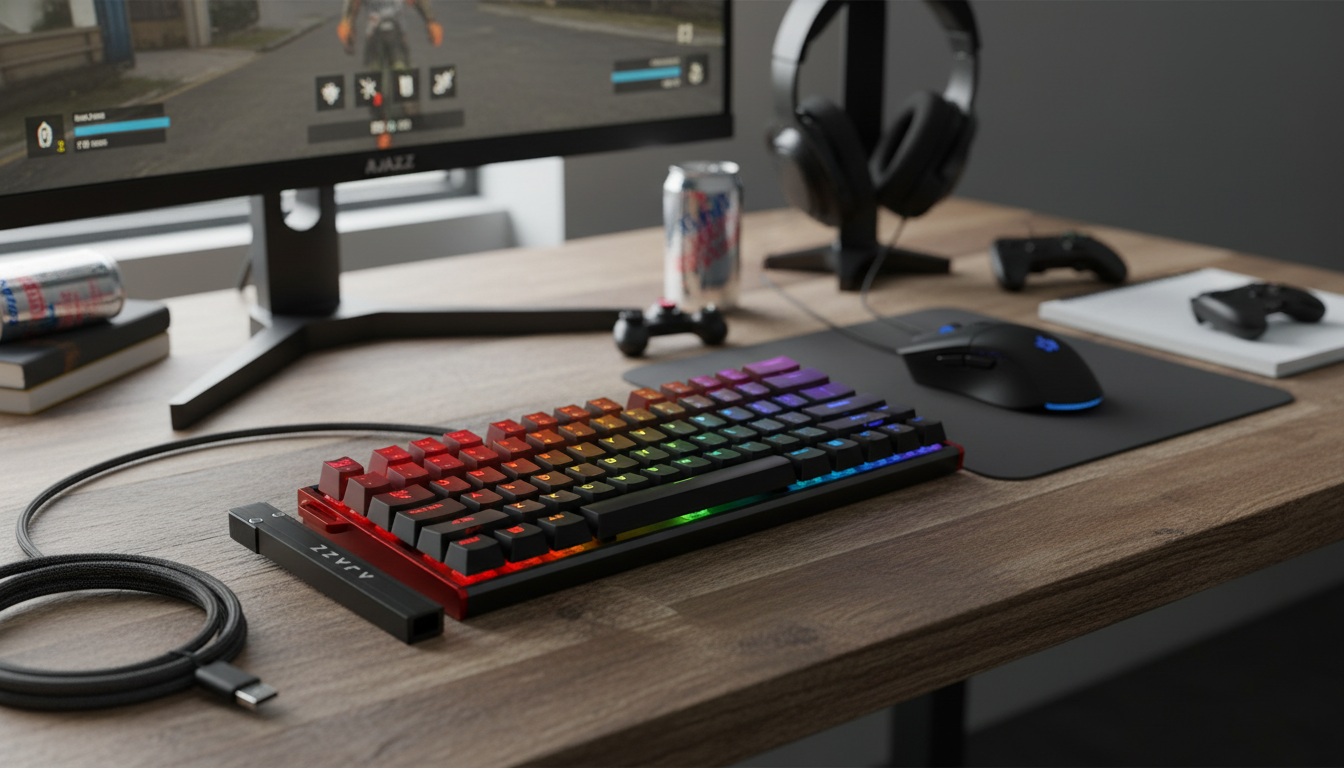
Why a 60% Wired Hall Effect Keyboard Is a Big Deal for Competitive Play
A compact 60% wired keyboard built around magnetic Hall effect switches can deliver faster resets, smoother key feel, and precise actuation control—useful for competitive play and clean desk setups. Instead of relying on a traditional metal contact, Hall effect designs read key travel through a sensor, which opens the door to adjustable actuation and “Rapid Trigger” behavior. The result can be movement that feels more immediate and repeatable—when it’s tuned correctly.
What Makes a Magnetic Hall Effect Keyboard Different
Standard mechanical switches actuate at a fixed point and reset at a fixed point. Hall effect switches work differently: a magnet moves with the stem, and a sensor reads position continuously, translating distance into input.
- Continuous travel measurement: A Hall effect sensor detects how far the key is pressed, rather than waiting for a contact to close.
- Adjustable actuation: You can often choose the actuation distance (where the key registers) to match your grip and play style.
- Rapid Trigger behavior: Reset and re-trigger can happen with minimal key travel, which can help with rapid strafing and counter-strafing in FPS titles.
- Software and calibration matter: Because the switch behavior is defined by sensing and firmware, stability depends on solid tuning, consistent calibration, and up-to-date software.
For background on the physics behind sensing, the Encyclopaedia Britannica overview of the Hall effect is a helpful reference. And since this is a wired gaming peripheral, it’s also useful to know that keyboards typically communicate as USB HID devices (see the USB HID Usage Tables).
Key Features to Expect From a 60% Wired Layout
A 60% layout is built for space efficiency. By removing the function row, navigation cluster, and numpad, it frees up room for bigger mouse pads and lower-sensitivity aiming.
- More mouse room: The tighter footprint can reduce shoulder reach and keep your mouse closer to center.
- Wired stability: A cable connection prioritizes consistent latency and eliminates battery management—especially useful for LAN events and long sessions.
- Layer shortcuts (Fn): Arrows, media, and F-keys are accessed through combinations; comfort depends on whether the default layer map feels intuitive.
- Ergonomics still matter: A smaller keyboard helps, but so does a comfortable typing angle, relaxed wrist posture, and repeatable mouse placement.
Rapid Trigger and Adjustable Actuation: Practical Gaming Setups
Hall effect tuning is powerful because it’s not “one size fits all.” The best settings are the ones that stay controlled under pressure.
- Start moderate, then tighten: Low actuation plus a tight Rapid Trigger reset can feel lightning-fast, but it can also cause accidental presses if it’s too sensitive.
- FPS movement (WASD): Begin with a medium actuation distance and gradually lower it until movement starts to feel unstable—then back off slightly.
- Rhythm/action games: Consistency often wins over extreme sensitivity; prioritize a repeatable actuation feel over the lowest possible number.
- Typing and mixed use: A slightly higher actuation can reduce typos, while gaming keys keep Rapid Trigger enabled if per-key tuning is available.
- Profiles help: If the software supports it, create Competitive / Casual / Typing profiles and switch based on what you’re doing.
Example Tuning Targets (Starting Points)
| Use case | Actuation feel | Rapid trigger feel | Notes |
|---|---|---|---|
| Competitive FPS | Low to medium actuation | Tight reset | Prioritize movement precision; avoid accidental strafes by testing in practice range |
| MOBA/MMO | Medium actuation | Moderate reset | Reduce mis-keys on ability rows; consider separate settings for modifiers |
| Mixed gaming + typing | Medium to higher actuation | Moderate reset | Improves typing accuracy; keep gaming profile available for quick swaps |
| Casual / couch gaming | Medium actuation | Relaxed reset | Most forgiving; fewer accidental inputs when repositioning hands |
RGB Lighting: Use, Comfort, and Practical Control
RGB can be decorative, but it can also be genuinely useful when it’s treated like functional backlighting.
- Visibility without distraction: Steady lighting or low-motion effects can help in dim rooms; fast animations can pull focus during tense rounds.
- Color coding: If supported, assign different colors to movement keys, modifiers, and critical abilities for quick recognition.
- Comfort tuning: Lower brightness reduces glare during long sessions; warm or neutral tones can feel easier on the eyes in dark setups.
Build, Sound, and Daily Usability Checks
Performance isn’t only about settings—hardware stability and day-to-day comfort show up over time.
Setup Steps for Consistent Performance
Product Options (In Stock)
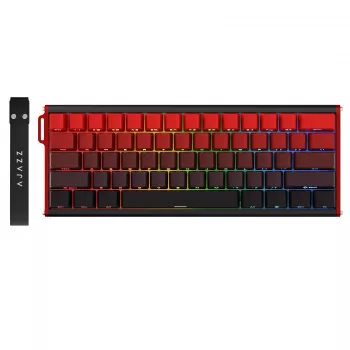
- 60% Wired Magnetic Gaming Keyboard with Hall Effect, RGB & Rapid Trigger Switch — compact footprint, wired stability, and Hall effect tuning designed for fast resets and adjustable actuation.
- Vintage Leather Bracelet for Men with Stainless Steel Magnetic Clasp – Trendy Bangle for Fashion & Parties — a simple magnetic-clasp accessory option if you’re also refreshing your everyday gear.
- Men’s Luxury Chronograph Quartz Watch with Leather Band & Waterproof Features — a practical, durable style pick that pairs well with a streamlined desk setup.
FAQ
What is rapid trigger on a Hall effect keyboard?
Rapid Trigger lets a key reset based on travel distance rather than waiting for a fixed reset point, so releases and re-presses can happen with less movement. Tuning it tighter can improve responsiveness, while slightly looser settings can reduce accidental re-triggers.
Is a 60% keyboard practical for everyday use?
It can be, as long as the Fn layers for arrows, navigation, and function keys feel natural. Most people adjust quickly, and profiles or shortcuts (when available) can make common tasks faster once muscle memory builds.
Do Hall effect keyboards help in FPS games?
They can, especially for movement control—quick taps, counter-strafes, and rapid direction changes may feel more immediate when actuation and reset are tuned well. If actuation is set too low, though, it may also increase accidental inputs until sensitivity is dialed in.












Leave a comment