



Compact Swivel Office Chair with Armrests for Small Spaces
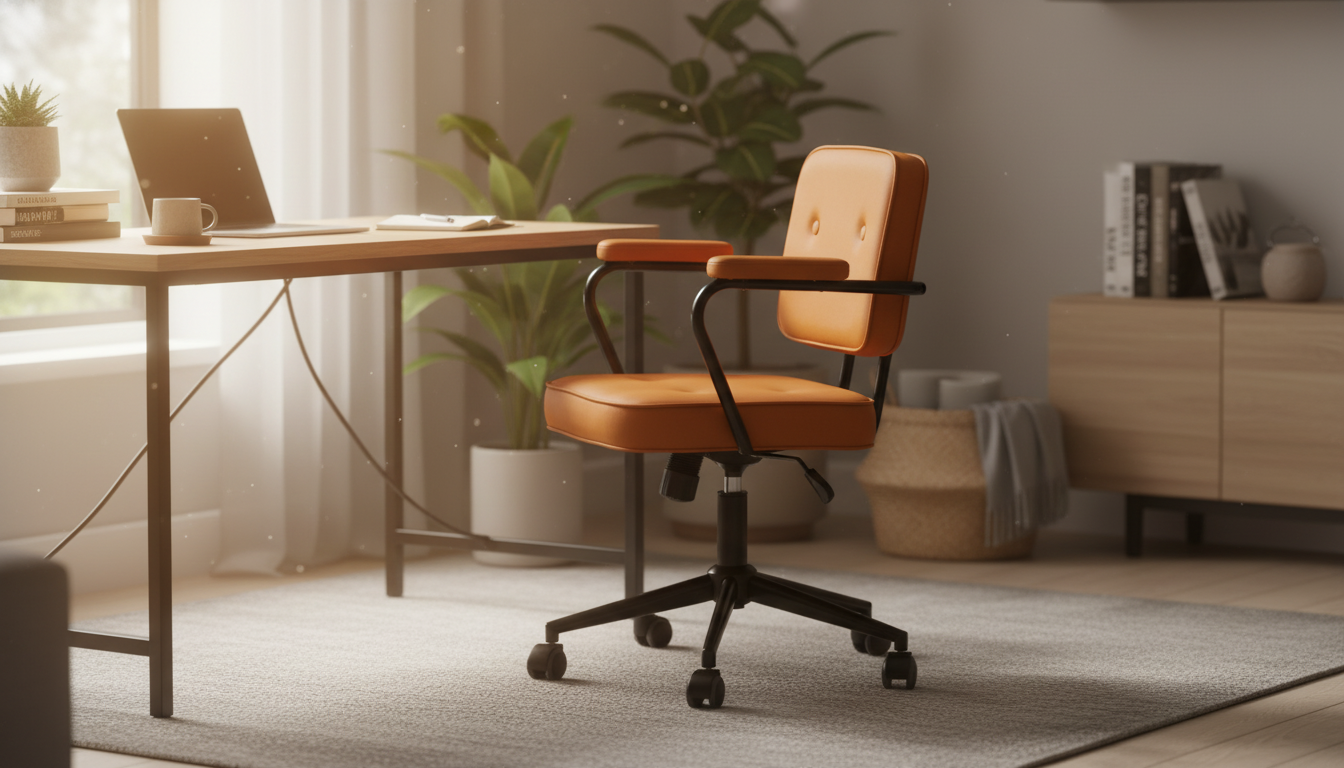
Compact Swivel Office Chair with Armrests: Big Comfort for Small Workspaces
A compact swivel office chair with armrests can make a small workspace feel more comfortable and functional without dominating the room. The best choice balances a smaller footprint with everyday support: a stable base, smooth swivel, armrests that fit under a desk, and materials that hold up to frequent use. Whether the setup is an apartment corner desk, a shared guest room, or a work-and-vanity combo, the right chair should feel easy to live with all day.
What “compact” should deliver in a daily-use chair
- A footprint that fits tighter corners, apartment desks, vanity/work combos, and shared rooms without crowding walkways.
- Seat and back proportions that support posture without pushing the user forward or feeling perched.
- Armrests that don’t force shoulders up and don’t block the chair from tucking under the desk.
- A base that stays stable even when turning to reach a printer, shelf, or side table.
Small-space fit: measurements to confirm before ordering
Compact chairs still need “operating room.” Measuring first helps avoid the most common small-space frustrations: armrests that collide with a desk apron, a seat that can’t slide between drawers, or a swivel that bumps a wall.
- Desk clearance: confirm the armrest height can slide under the desk or keyboard tray.
- Seat width and depth: ensure the chair fits between drawers, table legs, or room pathways.
- Back height: consider shelves, windowsills, and whether the chair needs to tuck fully in.
- Turning radius: a swivel chair needs space to rotate comfortably without bumping walls.
Quick fit checklist for compact work areas
| What to measure | Why it matters | What to look for on the product page |
|---|---|---|
| Desk height to underside | Determines whether armrests and seat height will clear the desk | Armrest height range (if adjustable) and seat height range |
| Space between desk legs/drawers | Prevents scraping and makes it easy to sit down | Overall chair width and arm-to-arm width |
| Depth available from desk edge to wall | Avoids the chair sticking out into walking paths | Overall depth and recommended clearance behind the chair |
| Floor type (hard floor vs rug) | Affects rolling resistance and stability | Caster type recommendations, or note if caster swap is supported |
Comfort and support in a compact silhouette
Small chairs shouldn’t mean minimal support. The goal is a neutral sitting posture that stays comfortable through emails, calls, and focused work.
- Back support: look for a back shape that supports the mid-to-lower back without forcing a slouched position.
- Seat comfort: padding should feel supportive over long sessions, not just soft on first sit.
- Edge comfort: a front seat edge that doesn’t dig into the back of the knees reduces fatigue.
- Armrests: a comfortable resting height helps keep wrists and shoulders relaxed while typing.
For workstation setup guidance that reduces strain, consult ergonomics recommendations like the OSHA Computer Workstations eTool and the CDC’s NIOSH ergonomics resources.
Swivel and mobility: what makes it feel smooth (and safe)
- Swivel quality: smooth rotation helps quick task-switching without constant chair repositioning.
- Base stability: a sturdy, wider base reduces tipping risk when leaning or turning.
- Rolling behavior: casters should match the floor surface to reduce unwanted drifting or stubborn rolling.
- Noise and floor protection: consider a chair mat for delicate floors or high-traffic areas.
In small rooms, a chair that swivels easily can reduce repeated scooting—helpful when the desk is close to a wall and there’s limited space to push back.
Armrests: choosing the right style for desk work
- Fixed vs. adjustable: adjustable armrests improve fit across different desk heights and body sizes.
- Spacing: arm-to-arm width should allow relaxed elbows without squeezing inward or flaring outward.
- Desk compatibility: lower-profile armrests can help the chair tuck in, keeping the room tidy.
- Task alignment: armrests should support forearms lightly—heavy leaning can strain shoulders and wrists.
A simple check: when hands are on the keyboard, shoulders should feel down and relaxed, and forearms should be gently supported (not pushed up).
Materials and build details that affect longevity
- Upholstery: prioritize durable, easy-clean surfaces for daily use (especially in dining/work hybrid areas).
- Cushioning: denser foam typically maintains shape longer than very soft, low-density padding.
- Frame and base: check the listed materials and weight capacity for a better sense of sturdiness.
- Hardware: well-fitted fasteners and reinforced joints reduce wobble over time.
Setup, adjustments, and daily usability
Styling a compact chair so the space feels intentional
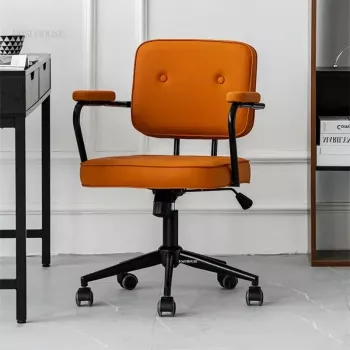
Product spotlight: Compact Swivel Office Chair with Armrests
Compact Swivel Office Chair with Armrests
More in-stock picks to round out a small workspace
- elegant-art-deco-inspired-crystal-branch-chandelier-for-dining-room (a statement light can visually “finish” a work-and-dining hybrid area)
- Spot AI Hallucinations Fast Checklist | Digital Download Guide on what are ai hallucinations and how to catch them | AI Literacy, Fact-Checking, Prompting Skills (a practical add-on for research-heavy desk work and written projects)
FAQ
Will a compact swivel chair with armrests fit under most desks?
It depends on the desk underside height and the chair’s armrest height. Measure the desk clearance and compare it with the chair’s armrest height (or adjustable range) plus the seat height range.
Are armrests helpful for computer work or do they get in the way?
Armrests can reduce shoulder fatigue when set at a height that supports the forearms lightly. They get in the way when they’re too high or wide, or when they prevent the chair from sliding under the desk.
What’s the best way to protect hard floors from a rolling office chair?
Use a chair mat or floor protector and consider casters designed for hard floors if compatible. Keep the wheels clean so trapped grit doesn’t scratch the finish.












Leave a comment