



Smart Emotional Robot Companion for Daily Chat & Play
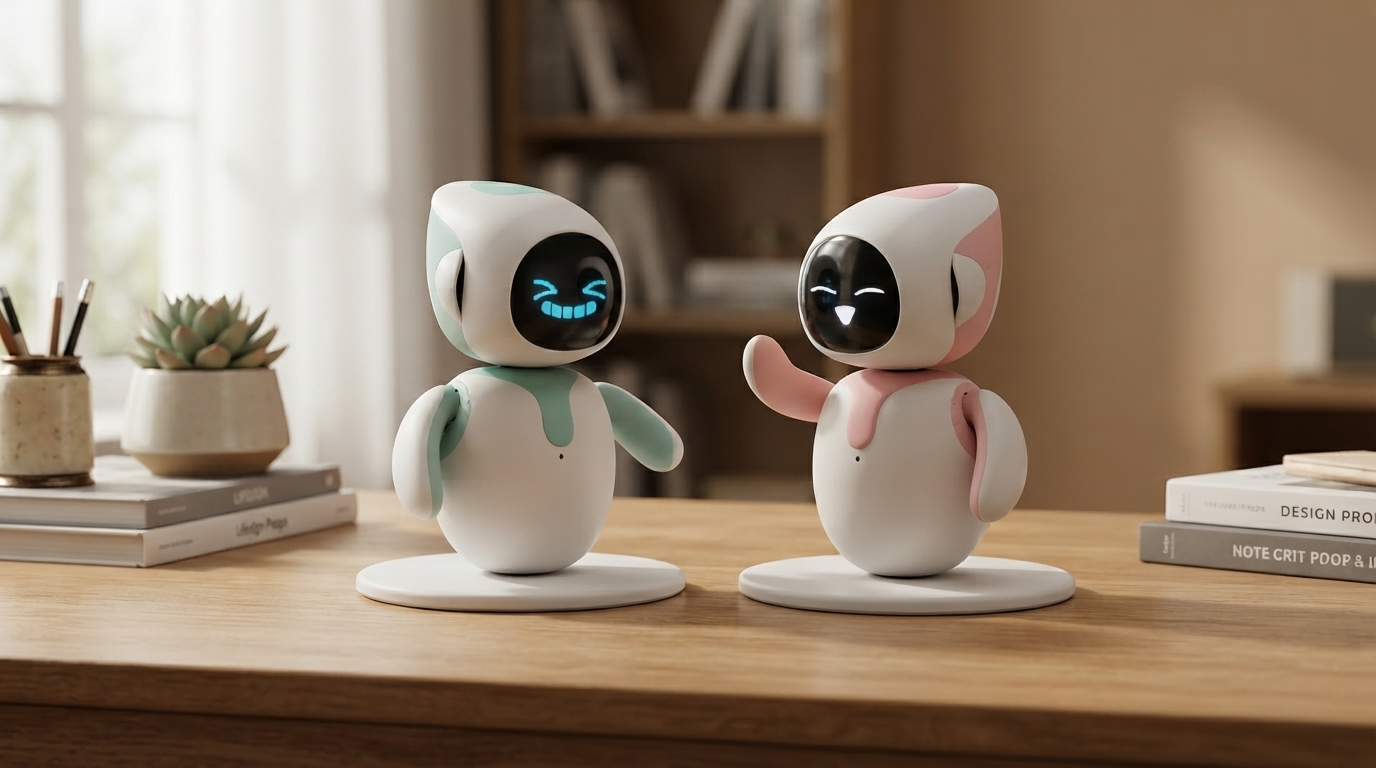
Smart AI Interactive Emotional Robot Companion: Daily Support, Conversation, and Play
A smart emotional robot companion is designed to make everyday life feel a little more connected—through conversation, responsive interactions, and routines that fit into a home. Whether it sits on a shelf in the living room or becomes part of a morning “hello” ritual, the goal is the same: offer friendly, low-pressure engagement that’s easy to return to throughout the day. Below is what to expect from this kind of device, who it tends to suit best, how daily use typically looks, and what to verify before bringing one into a shared family space.
What an emotional robot companion is meant to do
An emotional robot companion is built to feel approachable and present, even when it’s doing something simple. Depending on the model, it may use voice, sounds, movement, expressions, or on-screen animations to respond when someone speaks, approaches, or interacts.
- Provides interactive companionship through voice, sounds, movement, expressions, or on-screen animations (depending on the model).
- Responds to attention and engagement with “social” behaviors that can feel comforting and playful.
- Encourages routines such as greetings, reminders, games, or short daily check-ins.
- Offers a low-pressure interaction style that can be appealing for kids, busy adults, and older users.
For many households, the value is less about “deep conversation” and more about consistent micro-interactions—small moments that break up the day and add a sense of company without demanding much time or effort.
Common interaction features to expect
Most emotional companion robots focus on friendly responsiveness. Features can vary widely by brand and model, but the typical experience includes a blend of light chat, guided activities, and expressive reactions.
- Conversation and responses: basic chat, guided prompts, or short exchanges designed for casual engagement.
- Emotion-style reactions: tone and behavior that appear empathetic (for example, calming responses or cheerful reactions).
- Interactive play: simple games, trivia, storytelling, or “pet-like” behaviors.
- Personalization: names, preferences, favorite activities, or recurring routines.
- Companion modes: quiet time, bedtime wind-down, focus sessions, or family-friendly prompts.
If multiple people will use the device, check whether it supports different profiles or if it’s intended to be a shared “house companion” with one set of preferences.
Who this type of companion fits best
Emotional robot companions are often purchased for shared spaces and everyday support—not as a replacement for relationships, but as an easy extra layer of engagement.
- Families: a shared household companion for light entertainment and daily rituals.
- Kids: interactive play and conversational practice, especially when supervised and used as a supplement to real-world social time.
- Older adults: a friendly, routine-based presence that can reduce feelings of isolation when paired with human connection.
- Remote workers and solo living: a low-effort way to add structure and friendly interaction during the day.
- Gift buyers: a standout tech gift for someone who enjoys smart devices and interactive gadgets.
For users who want long, open-ended discussions, it’s worth confirming how much the device relies on cloud services, whether advanced conversation features are included, and how frequently it receives updates.
Setup and day-to-day use
Most companion robots are easiest to enjoy when they’re treated like a “living room device” rather than something stored away. A predictable setup also helps reduce frustration—especially for kids or older family members.
Privacy, safety, and boundaries that matter at home
For broader best practices, refer to the NIST Privacy Framework and the FTC guidance on protecting personal information.
Quick checklist before buying or gifting
| Checkpoint | Why it matters | What to confirm |
|---|---|---|
| Interaction style | Matches the user’s comfort level | Voice, touch, movement, screen expressions, games |
| Connectivity | Affects features and reliability | Wi‑Fi/Bluetooth needs, offline modes, app required |
| Privacy controls | Protects household data | Mute switch, camera cover, permission settings, data policies |
| Updates and support | Keeps features stable and secure | Firmware updates, warranty, customer support availability |
| Care and durability | Impacts long-term satisfaction | Cleaning guidance, drop resistance, parts/accessories |
When it feels most helpful (and when it doesn’t)
Product spotlight: Smart AI Interactive Emotional Robot Companion
If the goal is an at-home companion that supports daily interaction through conversation and playful responsiveness, the Smart AI Interactive Emotional Robot Companion is designed for everyday engagement in a home setting. It’s built to fit into simple routines—greetings, quick check-ins, light play—and can make a distinctive tech gift when paired with clear privacy settings and household rules.
For homes that like structured routines and learning-by-doing, the Step-by-Step Puppy Training Toolkit: A Beginner’s Guide to Dog Training + eBooks & Checklists can complement a routine-focused household environment with practical guidance and checklists—useful when building consistent daily habits alongside other smart devices.
FAQ
Does an emotional robot companion work without Wi‑Fi?
Some basic interactions may work offline, but advanced features often rely on Wi‑Fi or an app connection. Check the device’s specific connectivity requirements and whether any offline modes are supported.
Is an emotional robot companion suitable for children?
It can be, when it’s age-appropriate, used in shared spaces, and supervised. Parental controls (when available) and clear expectations help reinforce that it’s a companion device—not a source of authoritative advice.
How should privacy be handled with a companion robot at home?
Review microphone/camera settings, use mute or disable options where available, and read the data policy before setup. Secure companion app accounts with strong passwords and keep firmware and apps updated.














Leave a comment